Bank Check OCR API
Transform check processing with Veryfi's white-label API that captures and extracts data from both sides of any check. Get structured MICR codes, signatures, endorsements, and bank routing information in seconds—enabling fully automated check deposits that eliminates manual processing and delights your customers.
Get Started for Free Free Demo
Check Extraction 3.0
 |
Empower Your Business, Delight Your Customers: In today’s fast-paced market, cutting-edge technology isn’t a luxury—it’s survival. Smart businesses processing checks harness machine vision, AI, and data to outpace competitors, delight customers, and redefine industries. If your mobile app struggles to capture check images in various conditions, it’s time to upgrade to a platinum solution like Veryfi. Our technology excels at snapping checks in any situation, on any background both front & back without the visual constraints that other apps impose on their users. Embrace innovation or risk obsolescence. The future is now—are you leading or following?
What is Check Deposit OCR?: Check deposit OCR (Optical Character Recognition) is AI-powered technology that automatically reads and extracts data from bank checks — including MICR codes, amounts, payee names, and routing numbers — enabling digital check processing without manual data entry. |

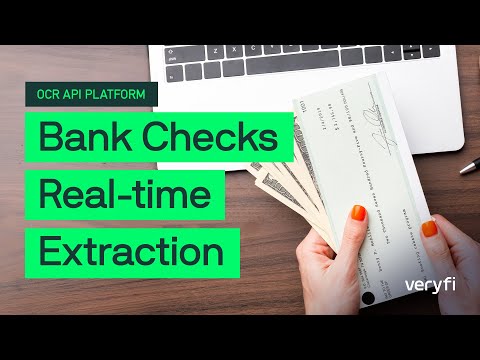
![Bank Check OCR API using Veryfi Lens [developer demo]](https://img.youtube.com/vi/gm6qkNCZVtw/hqdefault.jpg)

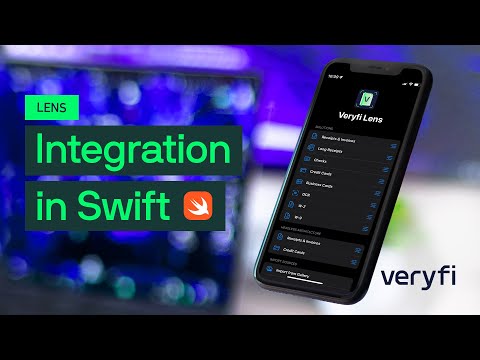
Developer Friendly API
The only API you will ever need to accurately extract key/value data in a standardized format you can trust across any geography, language, or format — enabling seamless international business expansion without lifting a finger.
Day-1 Ready Pre-Trained Bank Checks AI Model
SDKs & code samples in Python, Node.js, PHP, C#, Java, Go and more
Detailed API Docs + FAQs that make sense
Human support from experts at HQ in Silicon Valley
No bullshit. No months of training. No “contact sales” gatekeeping. Start impressing your customers today.
Supported Fields
-
MICR (Magnetic Ink Character Recognition)
- Routing Number
Routing Number: A nine-digit code (part of MICR) identifying the financial institution on the check.
- Account Number
Account Number: Unique identifier (part of MICR) for the account holder on the check.
- Serial Number
Serial Number: Unique identifier (part of MICR) for each check.
- Raw Text
Raw Text: Unprocessed MICR line data visible on the bank check.
- Branch
Branch: The branch number encoded in the MICR line identifying the specific bank branch associated with the check.
- Institution
Institution: The financial institution identifier extracted from the MICR line, distinguishing the issuing bank or credit union.
- Transaction Code
Transaction Code: A code in the MICR line indicating the type of transaction or account (e.g., checking vs. savings) associated with the check.
- Learn more …
- Routing Number
-
Numbers
- Amount
Amount: The numerical dollar value of the check as parsed from the written or printed amount.
- Amount Text
Amount Text: The written-out text representation of the check amount (e.g., “One hundred and 00/100”).
- Amount Text Value
Amount Text Value: The numeric value parsed and derived from the written-out amount text on the check, used for cross-validation against the numeric amount field.
- Fractional Routing Number
Fractional Routing Number: The fraction-format routing number printed in the upper right of a check, used as a secondary identifier for the bank.
- Routing From Fractional
Routing From Fractional: The nine-digit ABA routing number derived from the fractional routing number printed on the check.
- Check Number
Check Number: The sequential number printed on the check identifying it within the account holder’s checkbook.
- Currency Code
Currency Code: The ISO 4217 currency code for the check amount (e.g., USD, CAD).
- Check Type
Check Type: The classification of the check (e.g., personal, business, cashier’s, government).
- Memo
Memo: The memo or note written on the memo line of the check, often describing the payment purpose.
- Learn more …
- Amount
-
Bank Info
- Bank Name
Bank Name: The name printed on a check of the issuing bank.
- Bank Address
Bank Address: Physical location printed on a check of the issuing bank branch.
- Learn more …
- Bank Name
-
Signatures & Endorsement
- Is Signed (Front of Check)
Is Signed (Front): Whether the front of Check is signed.
- Endorsement Is Signed (Back of Check)
Endorsement Is Signed (Back): Whether the back of Check is signed.
- Is Mobile / Remote Deposit Only
Is Mobile / Remote Deposit Only: Whether the check is restricted to mobile or remote deposit, as indicated on the back.
- Is Endorsed
Is Endorsed: Whether any endorsement is present on the back of the check.
- Mobile Deposit Checkbox
Mobile Deposit Checkbox: Whether the “For Mobile Deposit Only” checkbox on the back of the check has been checked.
- Mobile Deposit Instructions
Mobile Deposit Instructions: Whether printed mobile deposit instructions are present on the back of the check.
- Is Signed (Front of Check)
-
Meta
- OCR Text
OCR Text: The full raw text extracted from the check image via optical character recognition.
- Date
Date: The date written on the check indicating when it was issued or is valid from.
- Payer Name
Payer Name: The name of the individual or business issuing the check, typically printed in the upper left.
- Payer Address
Payer Address: The address of the check issuer, typically printed alongside the payer name.
- Receiver Name
Receiver Name: The name of the individual or business the check is made payable to, written on the “Pay to the Order of” line.
- Receiver Address
Receiver Address: The address associated with the check recipient, if present on the check.
- Created Date
Created Date: The timestamp indicating when the check document was first submitted and processed by the API.
- Updated Date
Updated Date: The timestamp of the most recent modification to the check record.
- PDF URL
PDF URL: A signed URL providing access to the processed PDF version of the check image.
- Thumbnail URL
Thumbnail URL: A signed URL for a reduced-size preview image of the processed check.
- Learn more …
- OCR Text
-
Quality
- OCR Score
OCR Score: A confidence score (0–1) indicating the overall quality and legibility of the text extracted from the check image.
- Is Blurry
Is Blurry: Whether the check image was detected as too blurry for reliable extraction, along with a blur confidence score.
- Is Front
Is Front: Whether the submitted image has been detected as the front side of the check.
- Image Dimensions
Image Dimensions: The pixel width and height of the submitted check image, used to assess scan resolution and quality.
- OCR Score
-
Duplicate Detection & Tags
- Duplicates
Duplicates: A list of previously processed check records that match the current submission, each identified by a document ID and URL, enabling duplicate deposit detection.
- Tags
Tags: System-generated labels applied to the check record to flag conditions such as validation failures (e.g., VALIDATION_VOID) or other automated classifications.
- Document ID
Document ID: A unique internal identifier assigned to each processed check record by the API.
- External ID
External ID: An optional user-supplied identifier that can be attached to a check record for cross-referencing with external systems.
- Custom Fields
Custom Fields: A flexible key-value store for attaching user-defined metadata to a check record.
- Duplicates
Catch Threats Early
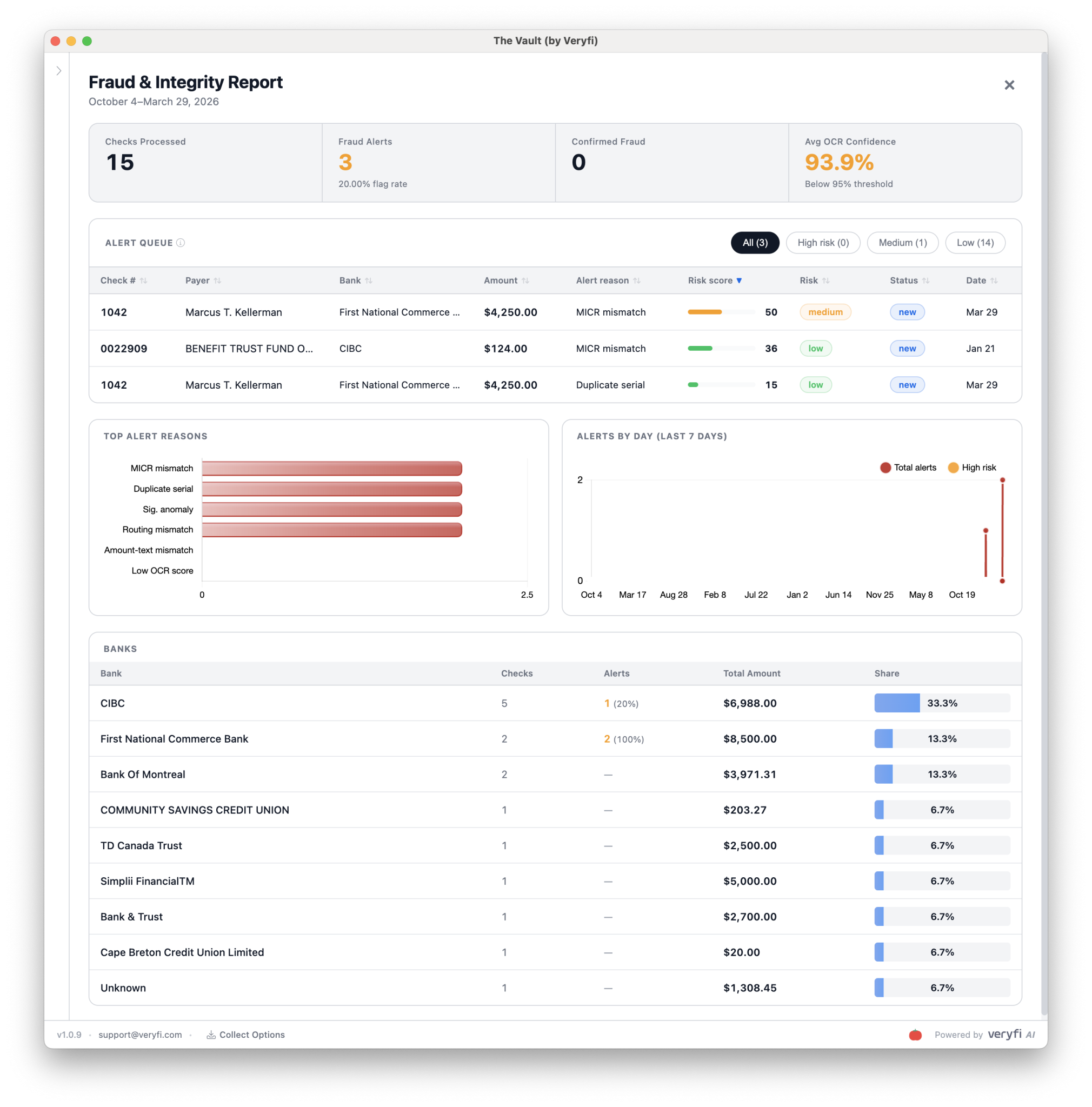
- EWS (Early Warning Services) — the same risk intelligence network trusted by the largest banks in the U.S. It surfaces accounts flagged for fraud history, returns, or suspicious activity the moment a check hits your queue — not after the damage is done.
- AFS (Account Fraud Score) — a predictive risk score built specifically for that check-and-account combination. Not a blunt pass/fail. A precise, actionable number — so you can auto-approve the clean ones and route the risky ones for human eyes, without slowing down your entire operation.
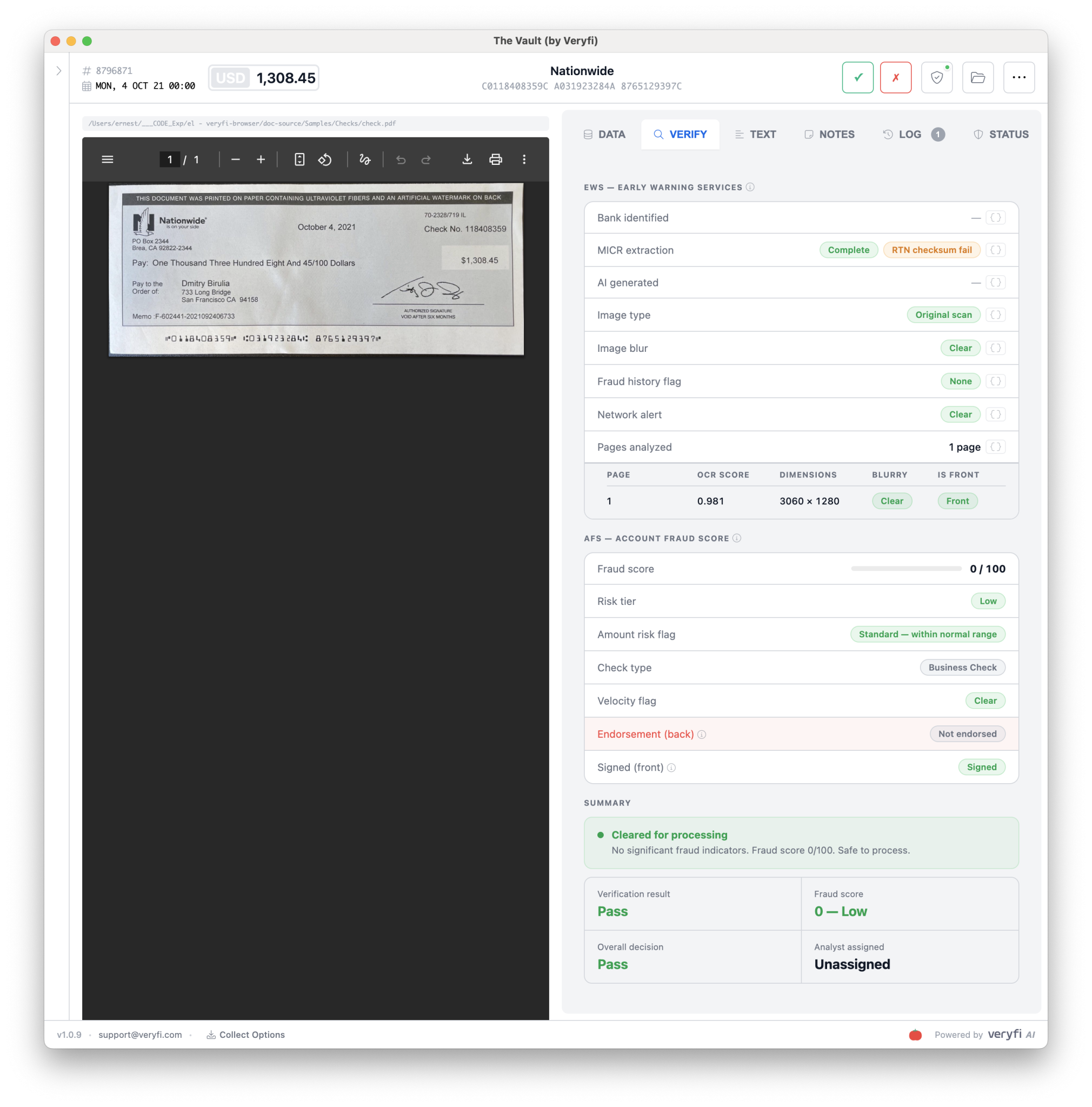
Your Real-Time Command Center for Fraud & Check Integrity
Global Bank-Grade Security & Compliance

Security & Compliance |
• Veryfi is SOC2 Type2 Certified and Compliant with GDPR, HIPAA, CCPA and ITAR standards.
• Check 21 & X9.37 Compliant — Meets federal Check Clearing for the 21st Century Act standards. Generate X9.37 files ready for clearinghouse submission. • 99.995% Uptime SLA — Built on dedicated NVIDIA DGX infrastructure — not shared cloud GPUs with noisy neighbors. • Deployment Flexibility — Cloud API, hybrid, or talk to us about on-premise options for institutions that require it. • Multi-Region Processing — Support for international check formats across 38 languages and 91+ currencies. • Audit Trail — Every API call logged. Every extraction timestamped. Full traceability for regulatory compliance. Built for the banks that can’t afford “good enough.” |
Built for Financial Occasions

Remote Deposit Capture
Manually reviewing deposited checks is slow and error-prone, with handwritten amounts and damaged items frequently requiring human intervention. Veryfi’s Check OCR API extracts MICR codes, amounts, payee details, and memo fields with high accuracy — reducing processing time and manual review queues significantly.
Accounts Payable Automation
Check data entry in AP workflows is time-consuming and introduces errors that delay vendor payments. Veryfi automatically extracts payee names, amounts, check numbers, and routing information, enabling direct integration with ERP systems and faster payment matching.
Fraud Detection & Risk Management
Check fraud remains a costly problem for financial institutions, and manual verification is too slow to catch it in real time. Veryfi extracts and validates MICR encoding, check design elements, and key fields to support automated fraud scoring and faster investigation workflows.
Legal & Compliance Documentation
Reviewing check images during financial litigation or audits is labor-intensive and delays case preparation. Veryfi extracts check details, endorsements, and transaction data to support rapid evidence gathering and forensic accounting workflows.
Property Management & Rent Collection
Manual rent check processing delays payment posting and creates tenant account discrepancies that take hours to resolve. Veryfi extracts tenant names, amounts, and check numbers to automate payment posting and reconciliation.
Healthcare Payment Processing
Processing copays and insurance checks manually slows down billing cycles and strains front-desk staff. Veryfi extracts patient names, amounts, and account numbers to enable instant payment posting and automated account updates.
Government & Municipal Services
Government agencies handle large volumes of checks for taxes, permits, and fees, with manual processing creating multi-day backlogs. Veryfi extracts citizen information, payment amounts, and service codes to automate revenue posting and improve turnaround times.
Non-Profit & Donation Management
Slow donation processing delays donor acknowledgment and tax receipt generation, which can affect donor retention. Veryfi extracts donor names, amounts, addresses, and memo designations to automate database updates and receipt delivery.FAQ
-
How do I test this?
Click the “GET STARTED FOR FREE” in the header and then signup for a free 14 day trial. It’s that easy. No credit card required to trial the software for 14 days.
-
Where are the API docs?
-
Is there Fraud Detection?
Yes. We have built a special AI-powered model which scrutinizes each check submission using various signals and triggers to flag potential fraud.
-
I want to talk to a person
No worries. You can email our support on [email protected] or contact our industry experts on [email protected] and they can guide you through all the available features.
-
Does it read handwritten text?
Yes.
-
Do you have mobile check capture?
Yes. You can try the mobile version from iOS App Store or Android Play Store
-
Support for X9 file format?
Yes, modern solutions like Veryfi’s bank check deposit platform leverage this X9.37 standard to provide seamless electronic check processing capabilities. By supporting the X9 format, Veryfi enables financial institutions and businesses to efficiently digitize and process check deposits while maintaining compliance with industry standards for electronic check exchange.
The X9 format, specifically X9.37, is a standardized file format used in the banking industry for the electronic exchange of check and image data. It essentially acts as a digital container for check images and related information, enabling financial institutions to process check transactions electronically. This format allows for the exchange of both front and back images of checks, along with textual data describing the check items, facilitating the processing of both forward and return items. -
Additional Insights